Back to Packages
Paragraph Styles
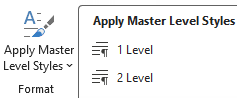
PowerPoint has no Styles pane. Apply your master's text styles to any shape, including the text boxes and tables that ignore them.
PowerPoint has no Styles pane. Apply your master's text styles to any shape, including the text boxes and tables that ignore them.
MotivationUnlike other design apps, PowerPoint lacks a dedicated "Styles" pane. Instead, it relies on a master placeholder with up to nine list levels to dictate presentation typography. Unfortunately, native shapes like text boxes and tables completely ignore these master styles, forcing you to format them manually.
Our solution brings universal styling to PowerPoint, allowing you to instantly apply master styles to any shape or table. Plus, if a master style needs a tweak, our direct shortcuts let you edit the placeholder level instantly—keeping your entire presentation perfectly on-brand with zero hassle.