Back to Packages
Slides Library
Build decks from reusable slide sections, and let users submit their own for designer review and a place in the shared library.
Build decks from reusable slide sections, and let users submit their own for designer review and a place in the shared library.
MotivationProblem
Core templates enforce corporate guidelines, but lack content flexibility. Static slides often fail to serve diverse audiences effectively.
Solution
Enable users to submit custom slide sections for designer review and addition to a shared library. This crowdsources real-world use cases, expands reusable assets, and drastically reduces deck creation times.
Build a deck from slides that are already designed: browse your organization's slide libraries and your own, and insert a slide, or a whole set of them, in one click.
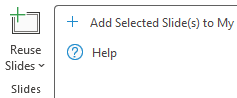
How to Use Reuse Slides
Include Section on Insert files the slides into the section they have in the library. Keep Source Formatting keeps the library's own slide master. It is ticked for you when the library's slide size differs from your presentation's.
Note: The browser opens on the library you used last.
Keep the slides you make again and again in a library of your own, so the next deck can start from them.
How to Use Add Selected Slide(s) to My Slides
Note: A library is an ordinary presentation. Add to it from any deck, or open it and edit it like one.
Any presentation can be a slide library. Add your own collections beside the ones your templates bring, and tidy them without leaving PowerPoint.
How to Use My Slide Libraries
Note: Libraries your organization provides cannot be edited from the browser, so they have no right-click menu.