Back to Packages
Icons Library
Find icons by what they mean, not by file name, and drop them on the slide without leaving PowerPoint.
Find icons by what they mean, not by file name, and drop them on the slide without leaving PowerPoint.
Find the right icon by what it means, not by its file name, and drop it on the slide without leaving PowerPoint.
How to Use Icons Library
Add your own icons beside the sets your organization provides: a packed set from a network drive, or any folder of PNG or SVG files.
How to Use My Icon Sets
Note: Removing a set leaves its files alone, but Delete Item deletes the file from the folder. Packs and the sets your organization provides cannot be edited, so their icons have no right-click menu.
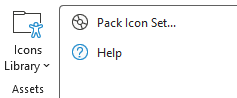
A folder of hundreds of icons is slow to open from a network drive. Pack it into one file and the whole team gets a set that opens fast and searches by tag.
How to Use Pack Icon Set
Note: Put the pack on a shared drive and have each colleague add it with Add icon pack....